Canva Magic Design: 7 Powerful Ways AI Is Transforming Creativity for Everyone
From Blank Canvas to Beautiful — The Magic of Canva Magic Design
We’ve all been there — staring at a blank screen, trying to create the perfect design for a presentation, social media post, or brand logo. It’s frustrating, time-consuming, and often overwhelming.
Enter Canva Magic Design, the AI-powered design assistant that changes everything. With just a few clicks, your rough idea turns into a polished, professional-looking design — like magic.
If you’ve ever wished you could skip the tedious part of designing and jump straight to creativity, Canva Magic Design might just be your new favorite tool.
What Exactly Is Canva Magic Design?
Canva Magic Design is an AI-driven feature built into Canva, designed to help users generate complete design layouts from simple text prompts, ideas, or images.
You can type “Instagram post about a new coffee brand,” upload a photo, or even paste your brand colors — and within seconds, Magic Design creates multiple templates that look like they were crafted by a professional designer.
It’s not just about speed; it’s about empowerment. Canva is giving everyday users the same creative superpowers once reserved for trained designers.
How Canva Magic Design Works
Behind the scenes, Canva’s AI analyzes your content, colors, and tone, then suggests the most suitable layouts, fonts, and visuals.
For example:
- Write “create a minimalist business card for a freelance writer,” and Magic Design will offer ready-to-edit samples.
- Upload your product photo, and it’ll instantly generate ad variations optimized for Instagram, Facebook, or Pinterest.
- Need a presentation? It creates a full deck — titles, slides, and visuals included.
Think of it as having a virtual creative director who understands your vision and delivers options instantly.
Canva Magic Design vs. Traditional Design Tools
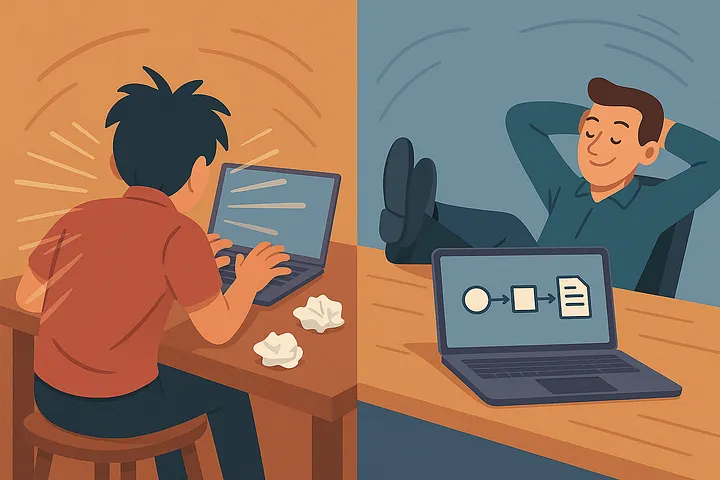
Before AI, designing meant spending hours tweaking layouts, experimenting with fonts, and aligning elements manually.
With Canva Magic Design:
- Speed skyrockets — you go from idea to final design in minutes.
- No design skills needed — AI handles color theory, typography, and balance.
- Consistency improves — brand kits automatically align visuals across all materials.
Compared to traditional tools like Photoshop or Illustrator, Canva’s AI is about accessibility. It democratizes design, allowing small business owners, marketers, and creators to produce professional visuals without technical barriers.
Real-World Examples of Canva Magic Design in Action
- Small Businesses: Entrepreneurs use Magic Design to create branded social media content without hiring agencies.
- Content Creators: Influencers and YouTubers generate thumbnails, banners, and infographics in record time.
- Teachers & Students: Education professionals quickly design engaging class visuals or project presentations.
- Nonprofits: Community groups make event posters or awareness campaigns that look stunning — all for free.
One viral example: a small café in London used Canva Magic Design to revamp its menu and social media — doubling engagement within a month.
Practical Tips to Maximize Canva Magic Design
- Start with a clear prompt: Be specific — “bold tech startup poster” works better than “poster.”
- Customize after AI: Use Magic Design as a foundation, then tweak fonts or colors for authenticity.
- Use brand kits: Upload your logo and colors for consistent branding.
- Pair with Magic Write: Canva’s AI writing assistant helps you generate headlines and captions to match your visuals.
- Collaborate live: Teams can co-edit AI-generated designs in real time — perfect for remote projects.
You can explore more Canva AI tools, including Magic Write and Text to Image, at their official Canva AI page.
Why Canva Magic Design Represents the Future of Creativity
We’re entering an era where creativity and technology merge seamlessly. Tools like Canva Magic Design show that AI doesn’t replace artists — it empowers them.
Instead of spending time aligning elements, creators can focus on storytelling, brand voice, and purpose. The result? More creativity, less friction.
But here’s the question we’ll all need to answer soon: If AI can design faster and better than ever — what will truly define human creativity in the future?