Coding in the Age of AI: How Developers Are Redefining the Future of Software

Hook: The Moment You Realize Code Writes Itself
You open your IDE, type a comment like “build a to-do app with authentication and local storage,” and before you can sip your coffee, the code is already done.
That’s not science fiction anymore — that’s Coding in the Age of AI.
For developers, creators, and entrepreneurs, the way we write, debug, and deploy code is undergoing its biggest shift since the birth of GitHub. The tools we once used to build apps are now becoming our collaborators.
In this article, we’ll explore what Coding in the Age of AI really means, how it’s changing the developer workflow, the benefits and pitfalls, and practical tips for thriving in this new creative era.
What “Coding in the Age of AI” Really Means
Coding in the Age of AI isn’t about replacing developers — it’s about amplifying them.
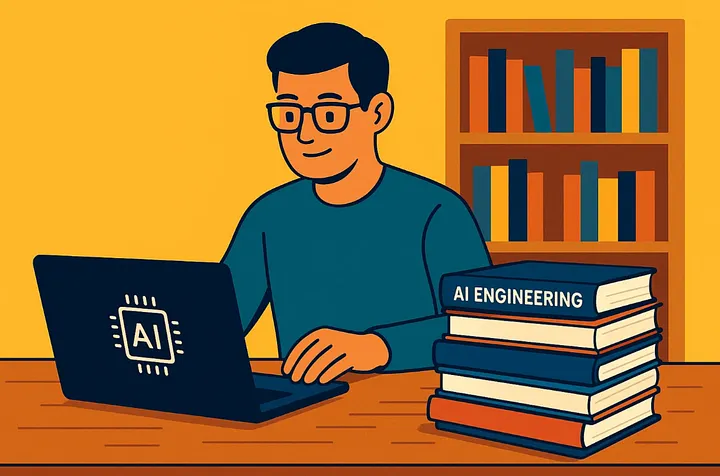
AI-powered tools like GitHub Copilot, Claude 4.5 Sonnet, and ChatGPT (GPT-5) have redefined what productivity looks like. They can autocomplete functions, debug complex systems, explain algorithms, and even generate production-ready apps.
But this new era isn’t just about speed. It’s about thinking differently — designing systems with AI rather than for AI. The developer’s job is shifting from writing every line of code to orchestrating intelligent systems that collaborate, test, and improve code in real time.
(Read more on GitHub Copilot’s impact →)
The Big Shift: From Manual Coding to AI-Powered Collaboration
Traditional Coding: A Solo Effort
Before AI, programming was largely manual. Developers brainstormed logic, wrote and rewrote functions, ran endless debug cycles, and manually optimized performance. Every project was a puzzle solved piece by piece.
AI-Enhanced Coding: A Partnership
Now, developers describe intent in natural language — and AI translates that intent into functional code. AI tools don’t just assist; they collaborate, predicting what comes next and learning from your style.
It’s like having a co-founder who never sleeps and never complains about merge conflicts.
This evolution isn’t just about efficiency — it’s about unlocking creativity. Instead of worrying about syntax or boilerplate, developers can focus on architecture, design, and innovation.
Real-World Examples & Benefits of Coding in the Age of AI
1. Startups Launching in Days, Not Months
Founders now build MVPs faster using AI coding copilots. A solo developer can spin up a working SaaS prototype in a weekend using tools like Replit AI, Cursor IDE, or Claude Sonnet 4.5.
2. Corporate Teams Writing Safer Code
Enterprise teams integrate AI to catch security flaws early. AI systems analyze dependencies, recommend fixes, and run unit tests automatically — cutting QA time dramatically.
3. Students Learning to Code Smarter
Learners no longer memorize syntax; they understand logic. AI tutors provide personalized explanations, helping them debug and learn core principles interactively.
Benefits include:
- 10x faster prototyping
- 60% fewer syntax and logic errors
- Enhanced creativity and confidence
- Easier onboarding for new developers
(See how AI coding assistants are changing education →)
Coding in the Age of AI vs. Traditional Methods
| Aspect | Traditional Coding | Coding in the Age of AI |
| Speed | Hours to write, test, debug | Minutes to generate and optimize |
| Learning Curve | Steep and syntax-heavy | Conceptual and logic-based |
| Error Handling | Manual testing and debugging | AI-aided error prediction and fixes |
| Collaboration | Human-only | Human + AI team synergy |
| Creativity | Limited by workload | Amplified by automation |
The takeaway? The best developers won’t be those who code the fastest — but those who know how to guide AI to code best.
Practical Use Cases & Tips for AI-Era Developers
1. Prototype with AI-First Mindset
When starting a project, describe your vision clearly to your AI assistant. Use prompts like:
“Build a REST API in Python with CRUD operations and JWT authentication.”
Then refine. Don’t write — coach.
2. Review and Edit Intelligently
AI isn’t perfect. Always review logic, check for data leaks, and ensure ethical use of APIs. Treat AI like a junior engineer: fast, brilliant, but sometimes naïve.
3. Use AI for Documentation
Tools like Copilot Docs or ChatGPT for Devs can auto-generate clean, human-readable documentation, saving hours of grunt work.
4. Stay Curious and Keep Learning
Coding in the Age of AI means your tech stack evolves monthly. Follow communities, experiment with plugins, and keep your “prompt engineering” sharp.
(Explore AI coding guides on freeCodeCamp →)
Conclusion: The Future Is Not Less Human
Coding in the Age of AI is not the end of programming — it’s the rebirth of it.
The keyboards haven’t gone silent; they’ve just learned to listen.
As AI takes over the repetitive work, developers gain time for strategy, creativity, and ethical innovation. The ones who thrive won’t resist the change — they’ll shape it.
So here’s the real question:
👉 When AI can write the code, what will you choose to create?