Claude Desktop: The AI App That’s Redefining Productivity in 2025
Imagine having an AI assistant that sits quietly on your computer, ready to brainstorm, summarize, or write — without needing a browser or internet tab chaos. That’s exactly what Claude Desktop delivers.
In a world where multitasking kills focus, Claude Desktop brings simplicity and intelligence right to your desktop, helping you think faster, write better, and get things done with ease.
What Is Claude Desktop?
Claude Desktop is the AI-powered application developed by Anthropic, the creators of the Claude AI family (Claude 1, 2, and 3). Unlike web-based tools like ChatGPT or Gemini, Claude Desktop runs as a native app on your macOS or Windows system.
It’s designed to give you on-demand access to Claude, your AI writing and reasoning assistant, directly from your computer — no browser, no tabs, no distractions.
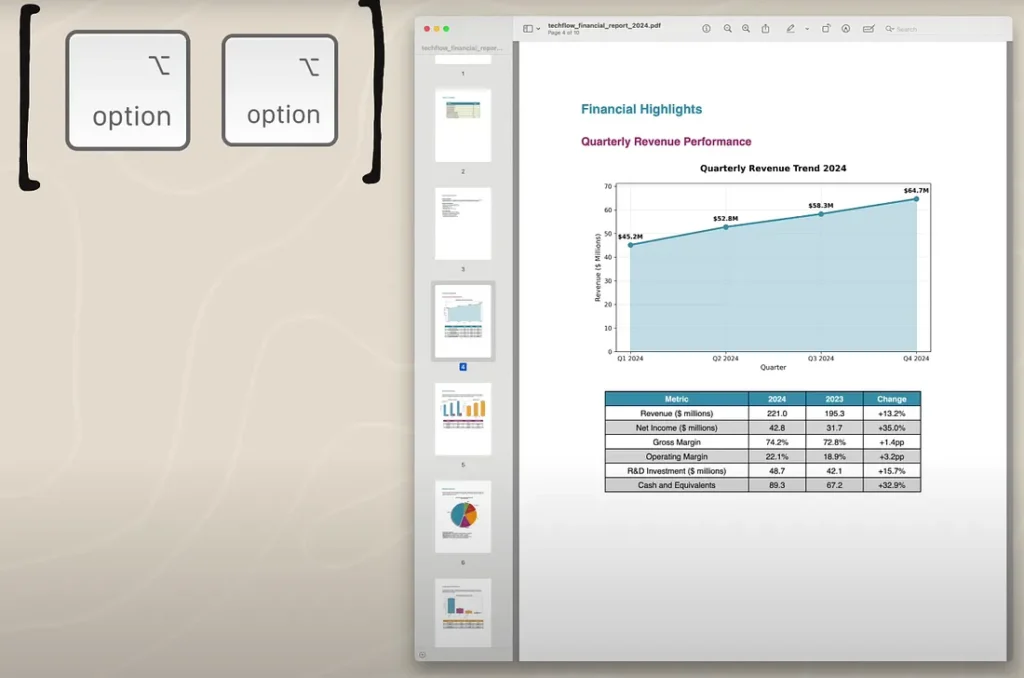
You can press a simple keyboard shortcut (like Cmd + Space) and instantly chat with Claude to brainstorm ideas, summarize notes, write emails, debug code, or even analyze PDFs.
Why Claude Desktop Is a Game-Changer
Traditional AI tools often live in the browser. While they’re powerful, they can disrupt your workflow — constant switching between tabs, copying and pasting, and dealing with login timeouts.
Claude Desktop solves that with seamless integration. It sits quietly in your system tray and opens instantly when needed. You can drag in files, paste long texts, or even feed it data from your local drive — all privately and securely.
Here’s why it stands out:
✅ Offline-like performance: Faster, smoother responses than browser-based tools.
✅ Better privacy: No need to upload everything to the cloud manually.
✅ File drag-and-drop: Analyze, summarize, or translate documents instantly.
✅ Minimalist interface: Clean, focused design for deep work.
Claude Desktop vs. Browser AI Tools
| Feature | Claude Desktop | Browser-Based AIs (e.g., ChatGPT) |
| Access | Native desktop app | Web browser |
| File handling | Drag-and-drop supported | Often limited |
| Focus | Minimal distraction | Tab overload |
| Privacy | Local integration | Cloud-only |
| Speed | Optimized and snappy | Internet-dependent |
With Claude Desktop, you’re not “visiting” an AI — you’re working with one that lives right on your machine.
5 Ways to Use Claude Desktop in Your Daily Workflow
1. Summarize Documents Instantly
Drag in a research paper, legal document, or meeting transcript. Claude Desktop can summarize, highlight key points, and even draft follow-up emails. Perfect for professionals and students drowning in text.
2. Brainstorm Creative Content
Writers, marketers, and designers love Claude’s creativity. You can brainstorm article titles, ad copy, or social media campaigns right from your desktop — no need to open Chrome or Notion.
3. Analyze Data and Code
Claude 3 is capable of handling structured data, code snippets, and logic reasoning. Developers can use Claude Desktop to debug, optimize code, or even explain complex algorithms — all within seconds.
4. Write and Edit Faster
Draft emails, proposals, or blog posts with the same fluency as chatting with a colleague. Claude’s tone control and writing clarity tools help polish your text effortlessly.
5. Stay Focused and Organized
No pop-ups. No feeds. No distractions. Just you and your ideas, enhanced by one of the smartest AI assistants available today.
Claude Desktop for Professionals and Creators
Whether you’re a writer, developer, student, or manager, Claude Desktop adapts to your needs.
- 🧠 Writers: Outline articles, refine style, and generate ideas.
- 💻 Developers: Debug or write code faster with context-aware AI help.
- 📊 Analysts: Parse and summarize large reports effortlessly.
- 🧾 Students: Turn lecture notes into study guides or essays.
And unlike many online AIs, Claude Desktop works with your local files — PDFs, text, spreadsheets — keeping everything private and accessible.
How to Get Started with Claude Desktop
- Visit Anthropic’s official site
- Download Claude Desktop for macOS (Windows support rolling out soon)
- Sign in with your Claude account or API key
- Launch the app and press your keyboard shortcut
- Start chatting, creating, and working smarter
Pro tip: Create custom prompts for repeated tasks like summarizing meeting notes or formatting reports — a great way to save time daily.
Why Claude Desktop Feels So Different
Claude Desktop isn’t just another app — it’s the future of human-AI collaboration.
It’s fast, beautifully designed, and most importantly, quietly powerful.
You don’t need to “go” to the AI anymore — it comes to you, helping you think and create naturally within your workflow.
As AI assistants evolve, Claude Desktop sets a new standard for on-device intelligence and productivity.
Conclusion: The Future of Work Is Already on Your Desktop
AI isn’t replacing you — it’s upgrading you. And with Claude Desktop, you have that upgrade sitting just one keystroke away.
If you could have an AI partner that understands your words, your style, and your workflow — would you still work the old way?