How to Turn Your Ideas into AI-Powered Apps: 7 Steps to Build the Future You Imagine

Every great product begins with a spark — an idea that solves a problem, simplifies a process, or inspires creativity. But in today’s fast-changing tech world, it’s not just about ideas; it’s about how to turn your ideas into AI-powered apps that actually work.
You’ve probably seen startups, freelancers, and even solo developers launching tools powered by ChatGPT, Claude, or Gemini — and thought, “How did they build that?”
The truth is, creating your own AI app is easier than ever — if you know the right roadmap.
Why You Should Build AI-Powered Apps
Artificial Intelligence is no longer a futuristic concept — it’s a practical toolkit for innovation. From personalized chatbots to smart productivity apps, AI is helping creators bring ideas to life faster and smarter.
Knowing how to turn your ideas into AI-powered apps gives you the power to automate workflows, enhance customer experiences, and create entirely new business models.
Unlike traditional app development, where you code every rule manually, AI allows your app to learn, adapt, and respond intelligently.
Step 1: Start with a Problem, Not the Tech
The first mistake many creators make? Starting with AI itself.
Instead, start by asking:
- What problem am I solving?
- Who will use my app?
- What process could be automated or improved?
For example, a fitness coach might build an AI app that creates custom workout plans. A writer could develop an AI assistant for idea generation. The key is to ground your AI idea in real-world needs.
Step 2: Choose the Right AI Tools
Once your idea is clear, it’s time to pick the tools that will make it happen.
Popular frameworks for AI-powered apps include:
- OpenAI API (ChatGPT, GPT-4, GPT-5) — for natural language processing
- Hugging Face Transformers — for machine learning models
- TensorFlow / PyTorch — for deep learning and neural networks
- LangChain — for connecting AI models with external data sources
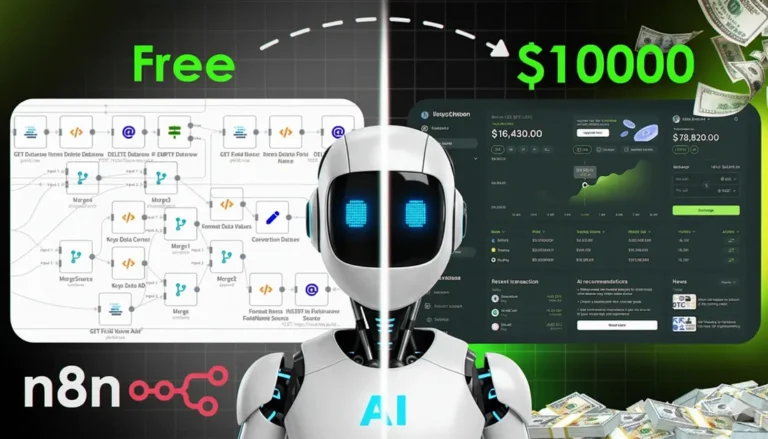
- n8n or Zapier — for automating AI workflows without coding
If you’re not a developer, don’t worry. Platforms like Bubble.io, Adalo, or Glide now allow you to integrate AI APIs without writing a single line of code.
Step 3: Design Your App’s Flow
Every app — AI or not — needs structure.
Define how users will interact with your AI system. Will it be a chatbot, dashboard, or automated background process?
Tools like Figma, Notion, or Miro can help you design the user experience visually before you write any code.
This step ensures your AI is useful, not just intelligent.
Step 4: Train or Integrate Your AI
Here’s where the magic happens.
You can either train your own AI model with custom data or integrate a pre-trained model using APIs.
For example:
- Use OpenAI embeddings for personalized responses.
- Integrate Claude AI for contextual reasoning.
- Add Whisper for voice input and transcription.
If you’re targeting specific industries — say real estate or healthcare — you can train small models using domain-specific data.
Step 5: Build the Backend and Frontend
For technical users, frameworks like Node.js, Flask, or FastAPI can serve as your AI backend. Pair it with a frontend in React, Flutter, or Next.js for a smooth user experience.
Non-technical users can use no-code builders that support API calls — connecting your AI logic to user interfaces directly.
Your goal is to make sure your AI app is fast, reliable, and user-friendly.
Step 6: Test, Iterate, and Collect Feedback
Launch a beta version early.
Ask users what works, what doesn’t, and what feels confusing. Because AI behavior can be unpredictable, feedback is key to refining your app.
You can use tools like PostHog, Hotjar, or Mixpanel to analyze user interactions and continuously improve your app’s performance.
Step 7: Market Your AI App and Scale
Now that your AI-powered app works — it’s time to grow.
Use platforms like Product Hunt, LinkedIn, and Medium to showcase your innovation. Share your story — how you turned your idea into something valuable using AI.
Add a free tier or demo to attract users, then scale with cloud services like AWS, Google Cloud AI, or Azure.
Remember: success isn’t just about the tech — it’s about building trust, value, and community.
The Difference Between Traditional and AI App Development
Traditional apps rely on static rules — everything must be pre-programmed.
AI apps, on the other hand, evolve. They learn from data, user interactions, and continuous feedback. This makes them more dynamic, adaptive, and human-like.
That’s the real edge of learning how to turn your ideas into AI-powered apps — your product doesn’t just do something, it understands something.
Final Thought
The world doesn’t need more apps — it needs smarter ones.
Learning how to turn your ideas into AI-powered apps is about more than building technology; it’s about building the future.
So, what problem do you want to solve — and how will AI help you make it real?